IQ Option Deposit via Neteller: Steps, Limits & Processing
Writen By

Online Trading Platform Researcher and Guide Writer
Researches broker platforms and trading account Systems.
Need to fund your IQ Option account with Neteller but unsure about fees, processing times, or account eligibility? E-wallet deposits usually post quickly, yet brokers and payment providers enforce rules — matching account names, supported currencies, minimum deposit thresholds, and occasional holds for identity checks. Common mistakes like using the wrong currency, sending from an unverified Neteller wallet, or mismatched account details often cause delays or rejections, so it helps to know the checks before you start.
This article gives a practical funding workflow for an IQ Option deposit via Neteller: preparing and topping up your Neteller wallet, selecting Neteller in the platform’s deposit panel, confirming currency and amounts, expected processing times and fees, and common troubleshooting steps when transactions are pending or fail. Follow the pre-checks and security tips here to reduce friction and keep your payment details secure while moving funds onto the trading account.
This article gives a practical funding workflow for an IQ Option deposit via Neteller: preparing and topping up your Neteller wallet, selecting Neteller in the platform’s deposit panel, confirming currency and amounts, expected processing times and fees, and common troubleshooting steps when transactions are pending or fail. Follow the pre-checks and security tips here to reduce friction and keep your payment details secure while moving funds onto the trading account.

1. Visit IQ Option website or mobile app.
2. Login to your trading account.
3. Click on the “Deposit” button.
If you are in our home Page, press the "Deposit" button in the upper right corner of the main website page.
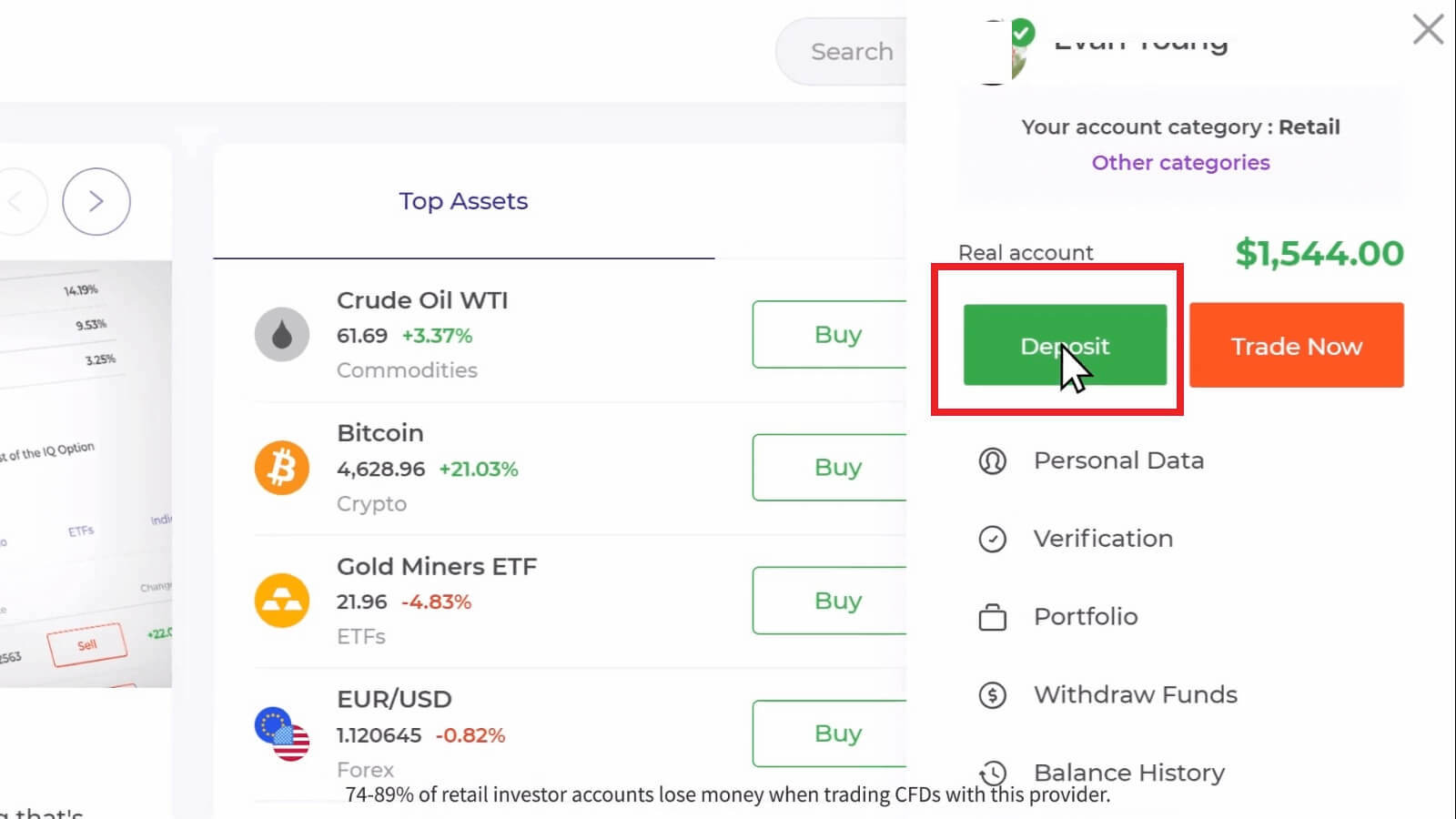
If you are in the trade room, press on the green ‘Deposit’ button. This button is located at the top right corner of the page.

4. Select "Neteller" payment method, then you may enter a deposit amount manually or select one from the list and press "Continue".
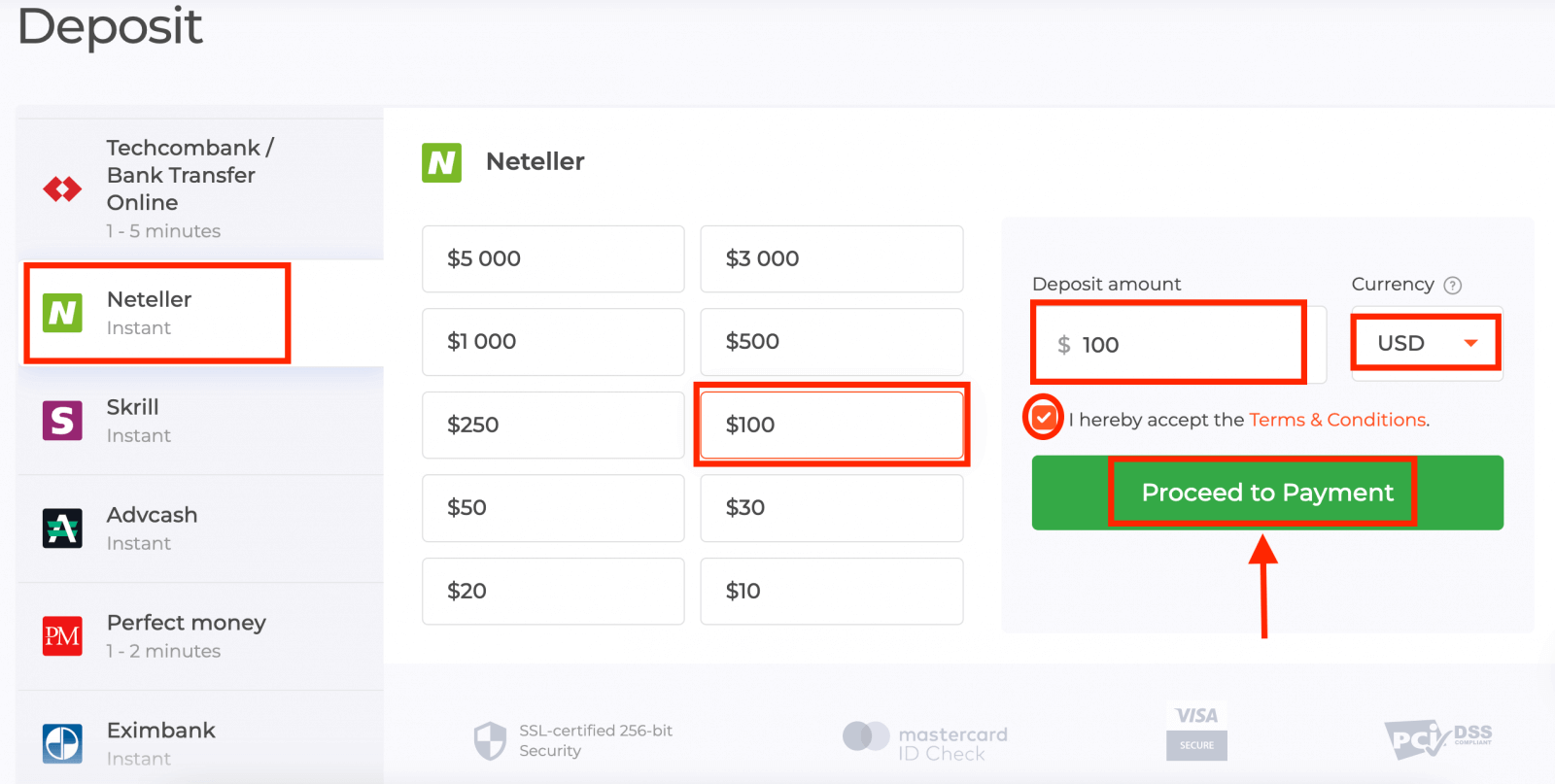
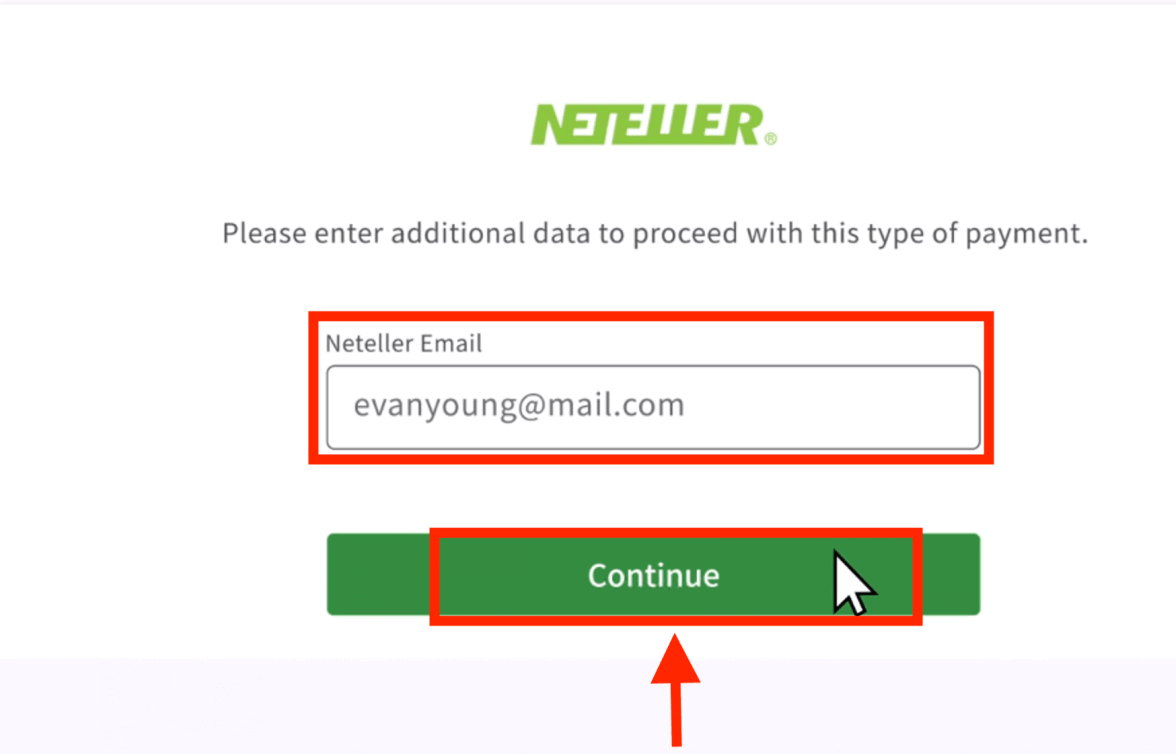
5. Enter the email address you used to sign up with Neteller and press "Continue".The minimum deposit is 10 USD/GBP/EUR. If your bank account is in a different currency, the funds will be converted automatically.
Payment methods available to the reader may be different. For the most up-to-date list of available payment methods, please refer to the IQ Option trading platform.
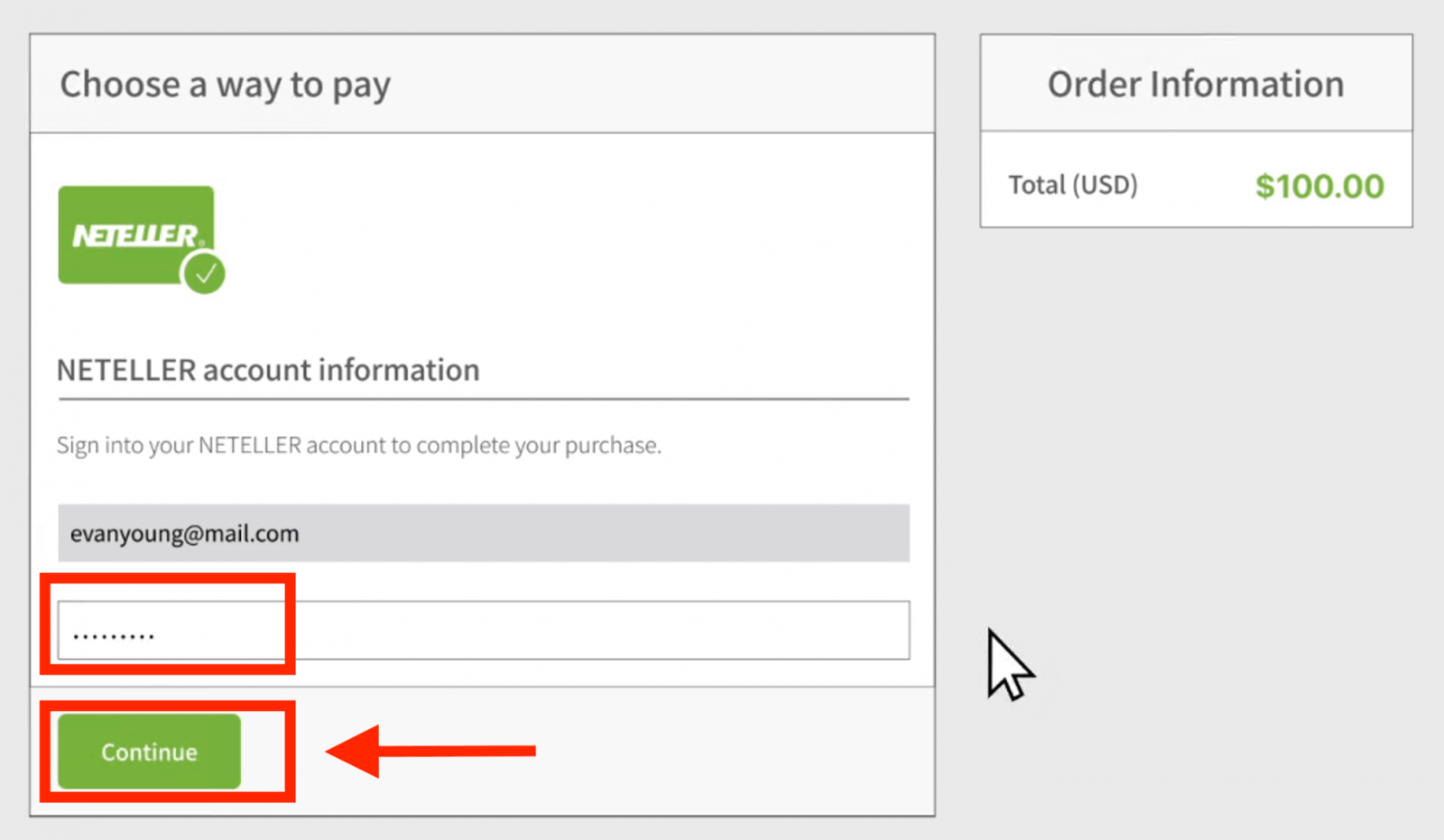
6. Now enter the password of your Neteller account in order to sign in and press "Continue".
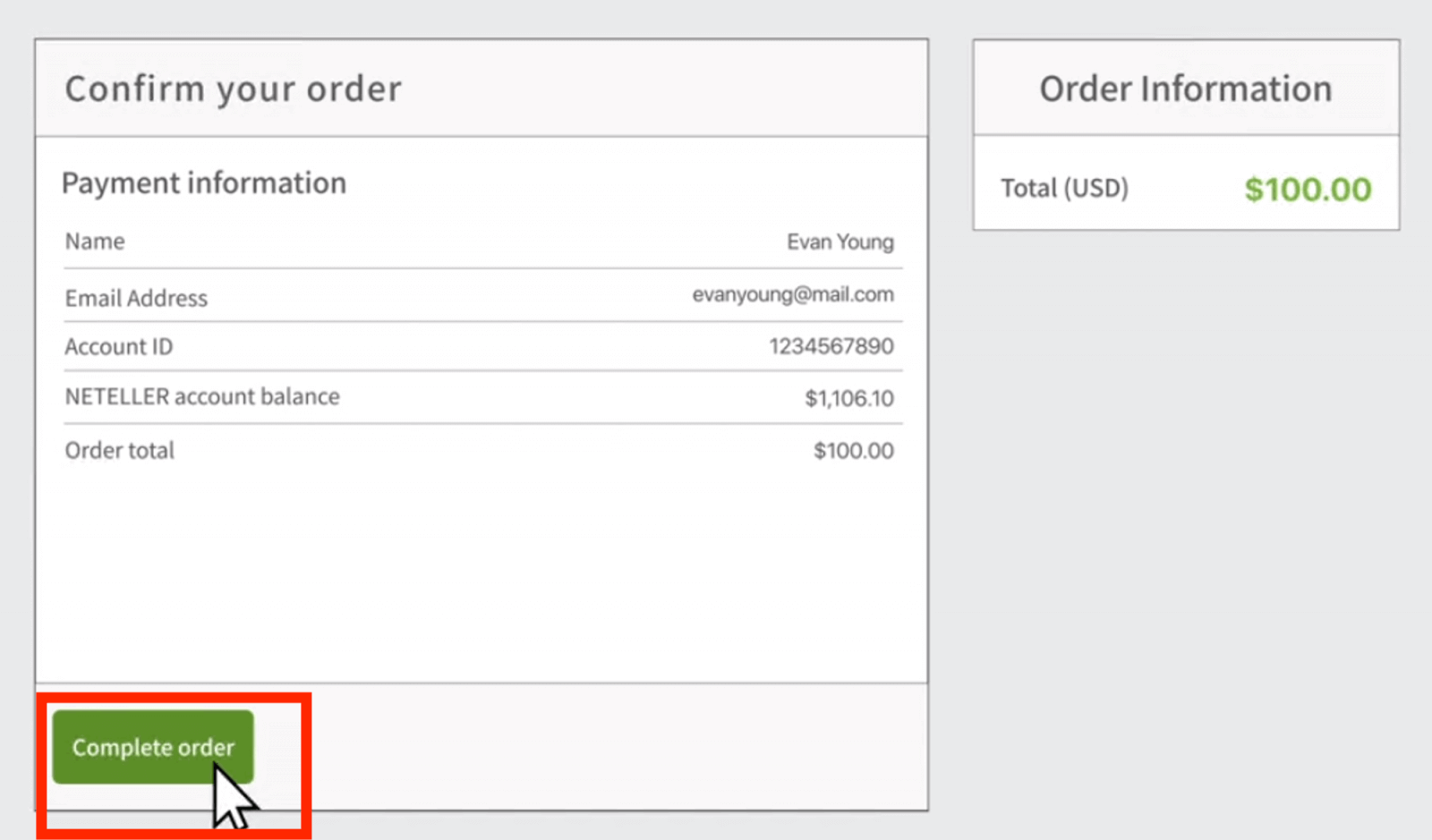
7. Check the payment information and click "Complete order".
8. Once your transaction has been successfully completed, a confirmation window will appear.
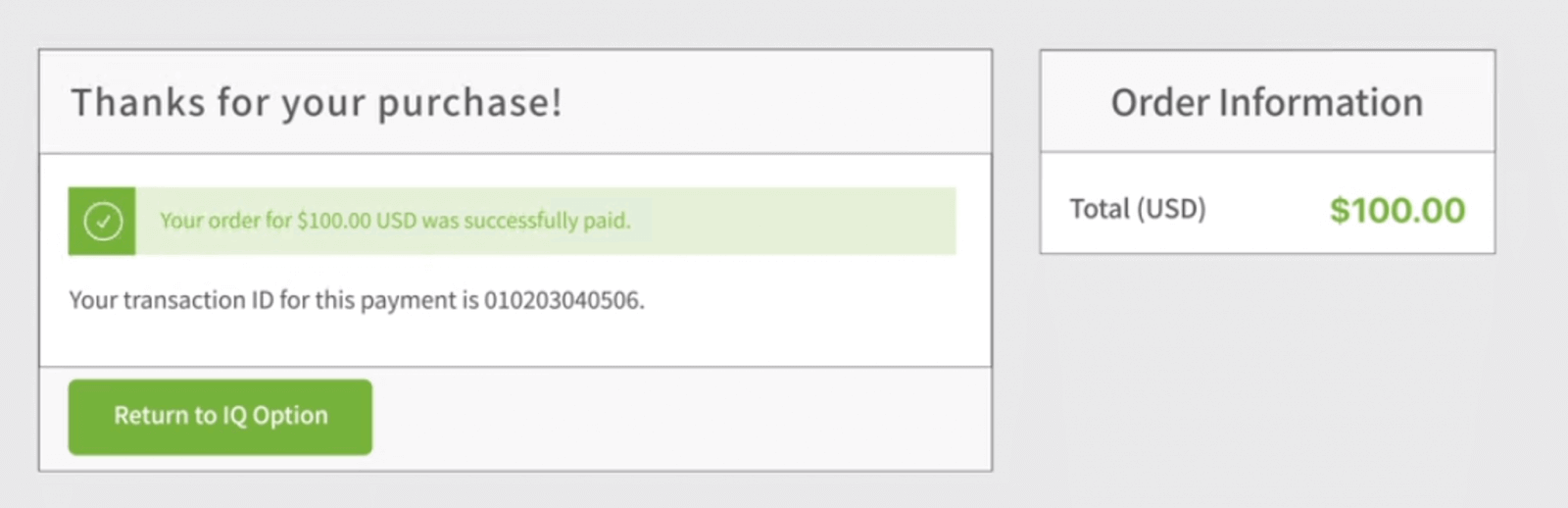

Your funds will be credited to your real balance instantly.
FAQs
Minimums can vary by country and currency, but IQ Option commonly accepts deposits starting at around 10 USD or an equivalent amount. Always confirm the exact minimum in your account’s deposit panel before initiating a Neteller transfer, since local rules and currency conversion can change the effective threshold.
Log into IQ Option, open the Deposit section, choose Neteller as the payment method, enter the amount and currency, then confirm. You’ll be redirected to Neteller to sign in and authorize the transfer or 2FA. Ensure your Neteller wallet has sufficient funds and that the account name matches your trading profile to avoid holds.
Failures often stem from insufficient Neteller balance, name mismatches, unsupported currency, exceeded transaction limits, or pending KYC on either account. Check the transaction ID in your Neteller history, top up or correct account details, complete any required verification on IQ Option, and contact Neteller or broker support with the payment reference if the deposit remains uncredited.
Yes. Neteller may charge transfer or conversion fees and IQ Option may convert currencies at its rate. Deposits from unverified Neteller accounts can be blocked until KYC is completed. Verify both your Neteller and IQ Option accounts, choose the correct currency at deposit, and review fee notices before confirming the transfer.
Using Neteller is standard but take precautions: enable 2FA on both accounts, verify identities to reduce holds, use secure networks, never share passwords, and check transaction references after transfers. If you see unfamiliar activity, contact Neteller and IQ Option support immediately and keep screenshots of confirmations for dispute resolution.